Simple, actionable insights
Within a couple minutes, Lavawall® automatically puts together the data that Google has available to identify suspected breaches and security risks.It also identifies easy wins to secure your environment, like unencrypted devices, users without two-step verification, inactive users, and apps that might be used to steal your sensitive information.
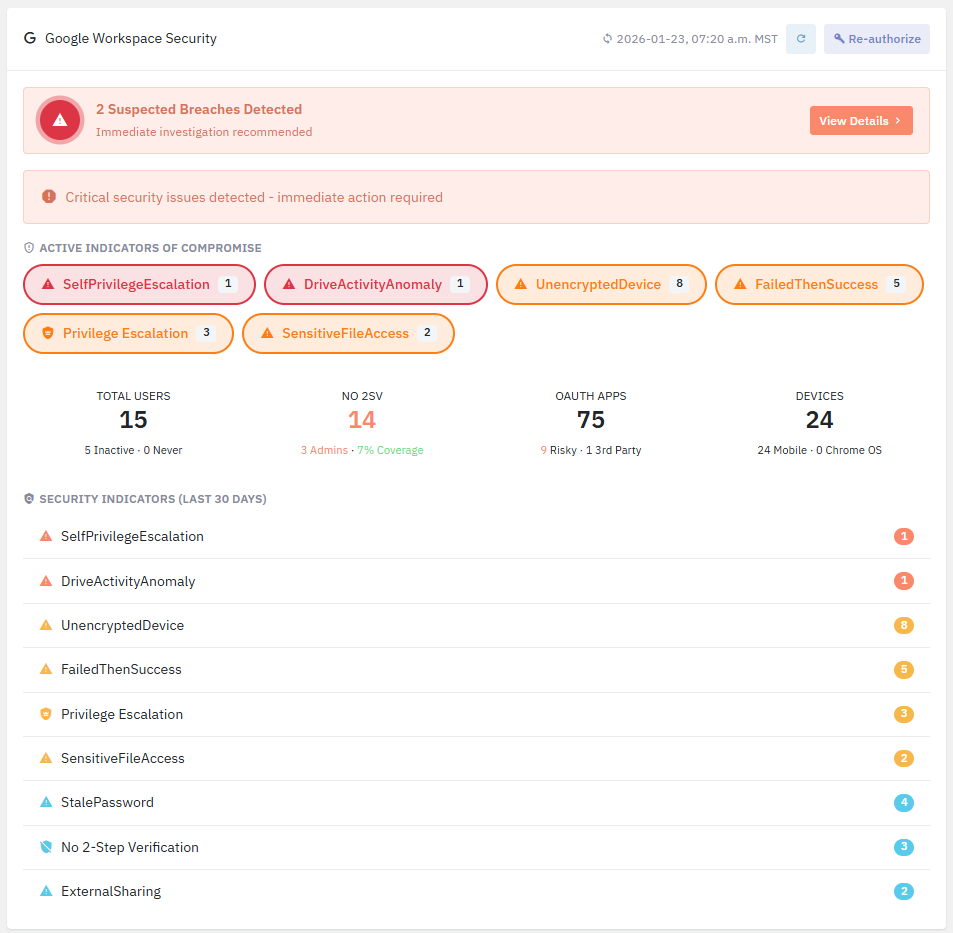
Three clicks to Google Workspace Security
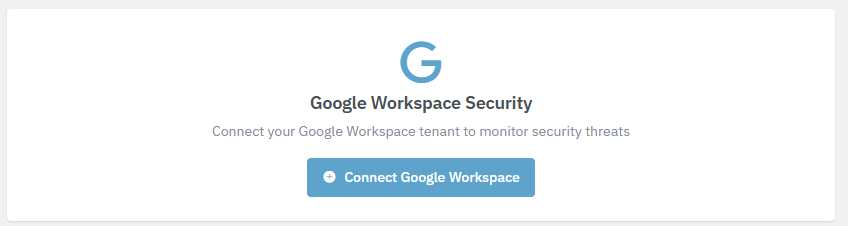
Just log into your Google Workspace account and we’ll take care of the rest!- On the dashboard, click Connect Google Workspace
- If you have more than one account, click the administrator account you’re using or click Use another account and Login to Google
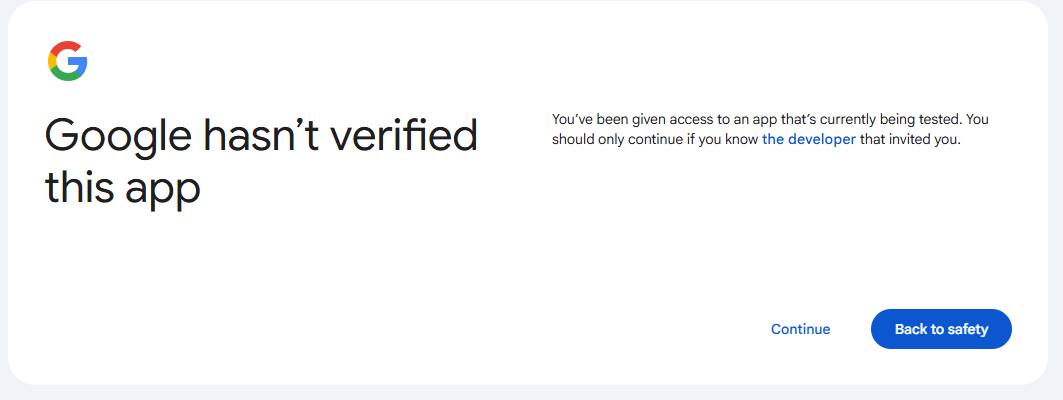
- If you’re in our beta program, you may have to click Continue on the Google hasn’t verified this app screen.
- Click the box beside Select all to select the permissions that Lavawall® requires to monitor your security.
Lavawall® requires read-only access to administrative information, logs, and meta data to monitor your tenant.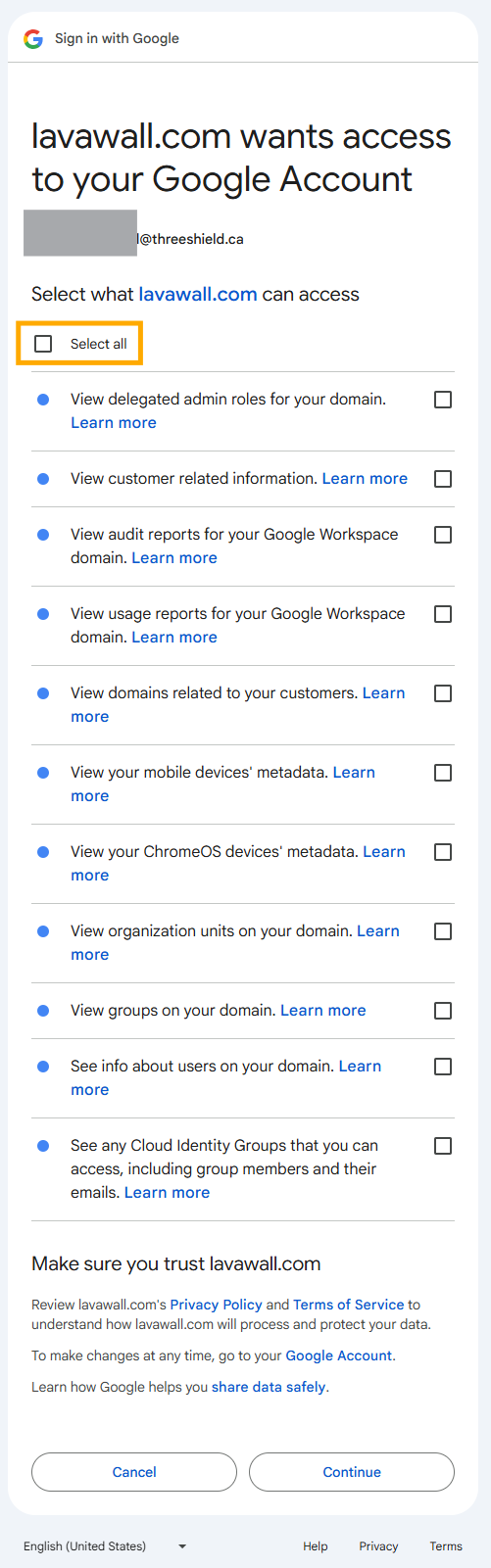
- Click Continue at the bottom of the list after checking the boxes
- Potential breaches determined by analyzing a combination of indicators
- Changes to mail accounts, like setting up mail forwarding, and suspicious mailbox rules
- Suspicious login patterns and logins from weird locations
- Logins from more than one location
- Impossibly fast travel between two different locations
- Credential stuffing attacks
- Brute force attacks
- Password Spray Attacks
- MFA Bombing
- MFA Fatigue
- Session hijacking
- Lateral movement
- Newly-installed and risky Entra and Azure Apps
- Dormant account reactivation
- Activity on disabled accounts
- Failed MFA and MFA abuse
- Risky Events
- Security Alerts
- Malicious addresses
- Unusual file download, deletion, sharing activities
- Unusual mail access and configurations
- Privilege escalation
- Activity after hours
- Much more...

What does Lavawall® check in Google Workspace?
Lavawall® considers where you have computers and things like IPv6 privacy so you don’t have the false positives that plague Microsoft’s built-in tools and most other third-party tools.While preventing false positives, Lavawall®'s comprehensive ITDR (Identity Threat Detection & Response) approach looks at an ever-expanding list of risk indicators, including:
If you have any questions or need further assistance, feel free to reach out through our chat, phone or email on our contact page!