






Lavawall
This page allows you to update contacts and view their information when they call.
If your phone system allows you to open a web page, have it open this one with the following querystring arguments:phone={numeric phone number in caller id} (required)
name={caller ID information} (optional)
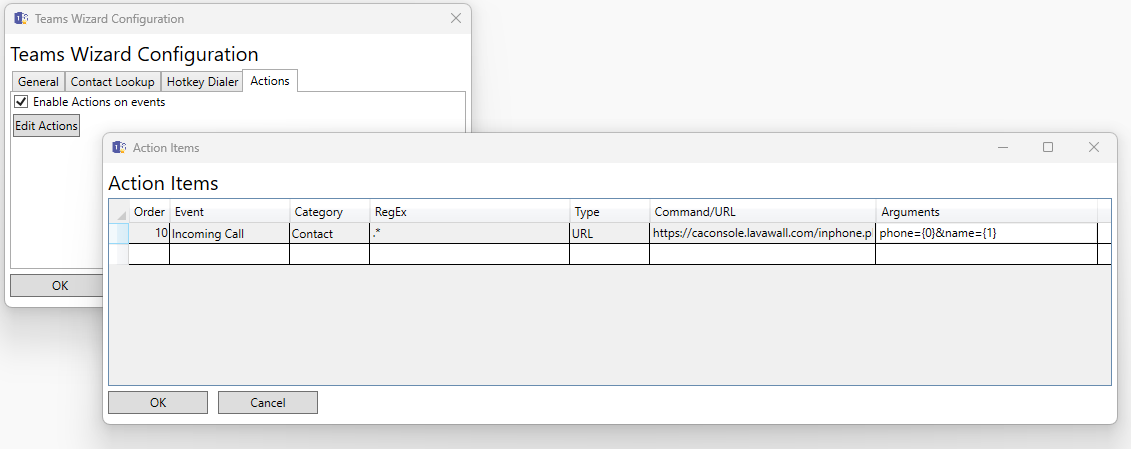
Command/URL: https://console.lavawall.com/inphone.php
Arguments: phone=phone={0}&name={1}
https://console.lavawall.com/inphone.php?phone={number}&name={name}
If your phone system allows you to open a web page, have it open this one with the following querystring arguments:
Microsoft Teams (calling policy)
- In the Microsoft 365 admin center, open Admin centers > Teams, then Voice > Calling policies, and click the policy your people use.
- Turn on "Open apps in browser for incoming PSTN calls".
- Set "URL to open apps in browser for incoming PSTN calls" to: https://console.lavawall.com/inphone.php?phone={phone}
- Click Save, then Confirm.
- Each person then goes to Teams > Settings > Calls and chooses "Launch an external app or a URL for incoming calls", if that option is shown.
Lync Wizard / Teams Wizard
In Teams Wizard (lyncwizard.com) Actions on the Canadian console, set:
Zoiper 5
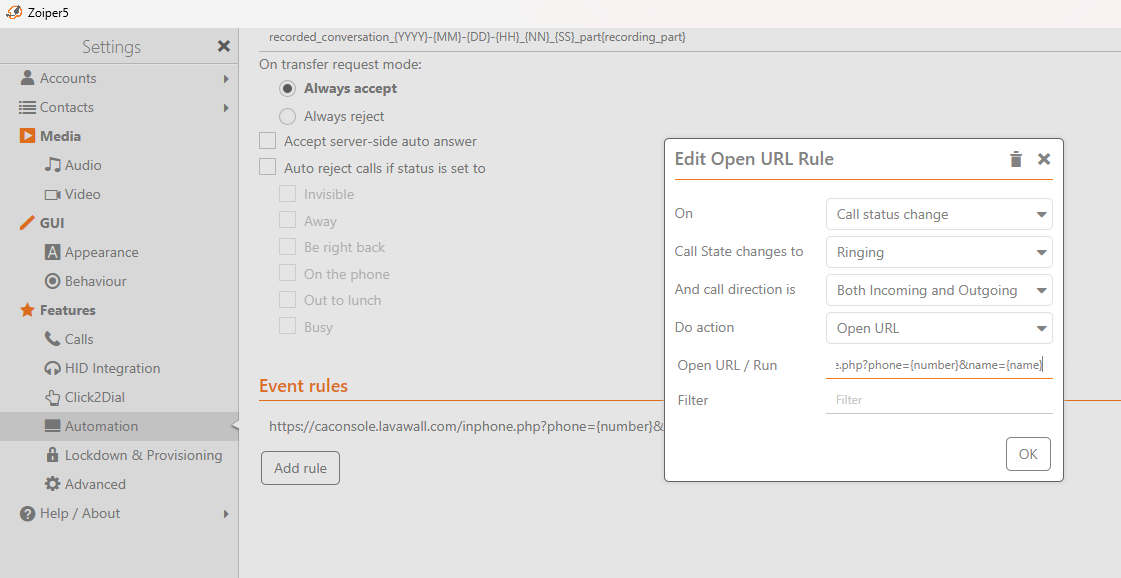
In Zoiper 5, set an event rule to open the following URL:https://console.lavawall.com/inphone.php?phone={number}&name={name}
