Copy. Paste. Win!
To deliver outstanding service to the prospects visiting your site, you need to respond to them right away.As your technicians uncover the rich features in Lavawall®, they’ll spend most of the day with Lavawall® open anyhow, so what better place to respond to new prospects?
To set up web chat, scroll down to Embed & Branding on the left side menu.
Then, scroll down to Chat Widget Settings. Here, you can set your colour scheme, preferred icon, default text, and required fields. Under the Live Preview, you'll see the little script that you can easily copy and paste into the footer of your website above the </body> tag.

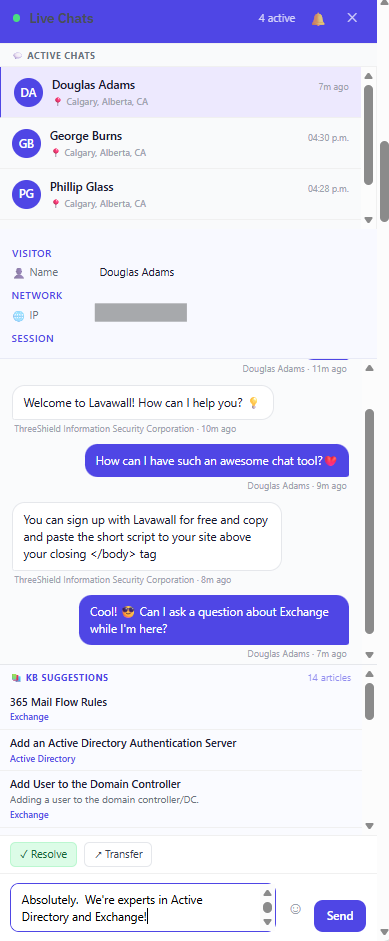
A beautiful, simple chat for users on your website complete with emojis 😎

Get quick access to knowledge base articles as you or your web site visitors type.
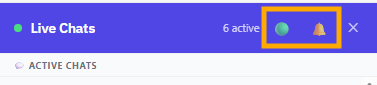
Click the big green circle to go into Do Not Disturb mode. Click the bell to mute alert chimes.
If you have any questions or need further assistance, feel free to reach out through our chat, phone or email on our contact page!